
Colors That Start With X: A 19-Color Atlas

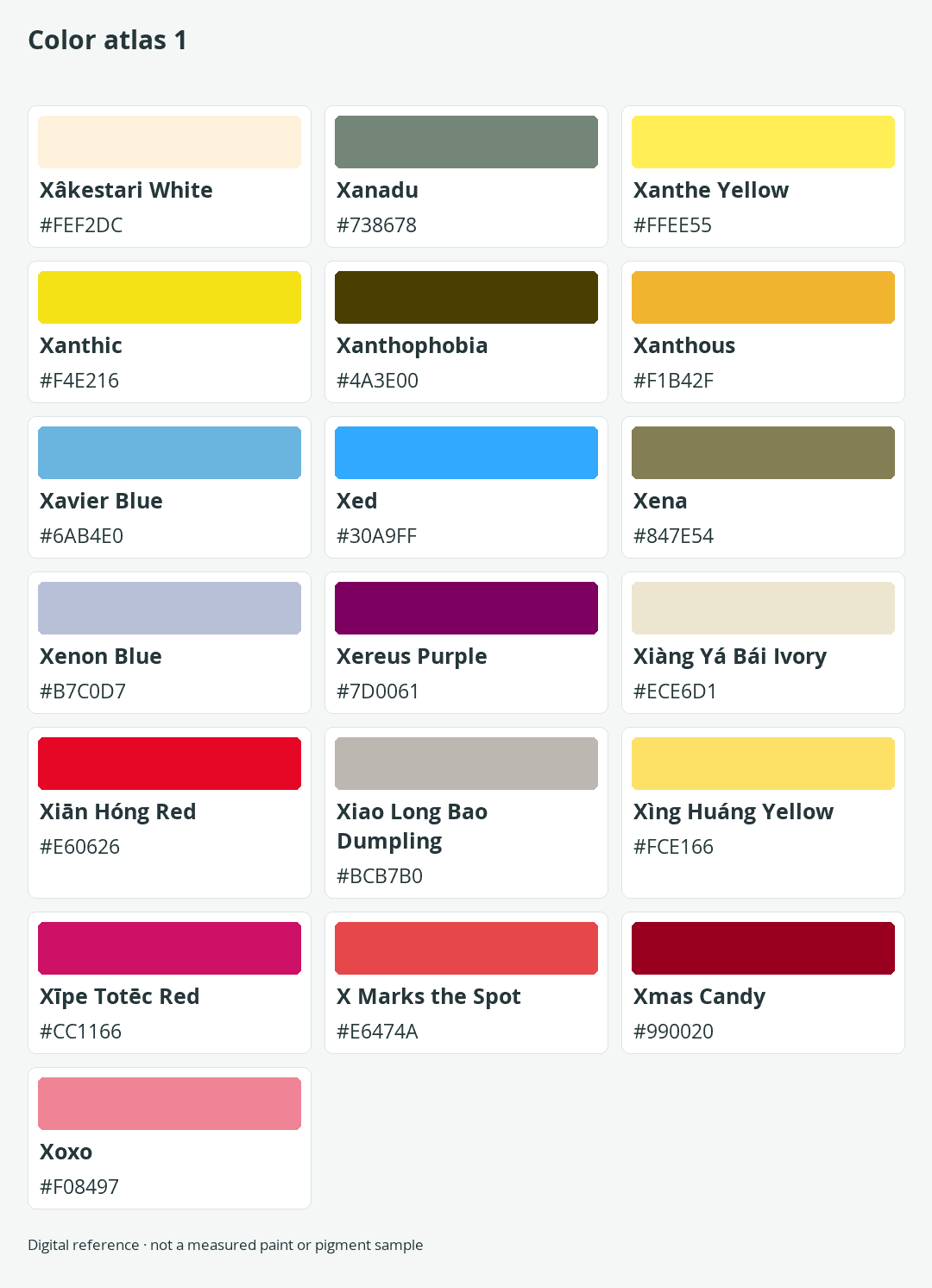
Colors that start with X are rare, but they range from the pale Xâkestari White to the deep red of Xmas Candy. This atlas gives you 19 supported names with matching HEX values, RGB values, and visible swatches. You will also learn which names work in CSS, why color codes can conflict, and how to use these unusual choices accessibly.
Quick Answer: 19 Colors Start With X
A broad, human-curated catalog of 31,918 color names contains 19 distinct entries beginning with X. Familiar examples include Xanadu, Xanthic, and Xanthous, while less familiar choices range from Xenon Blue to X Marks the Spot.
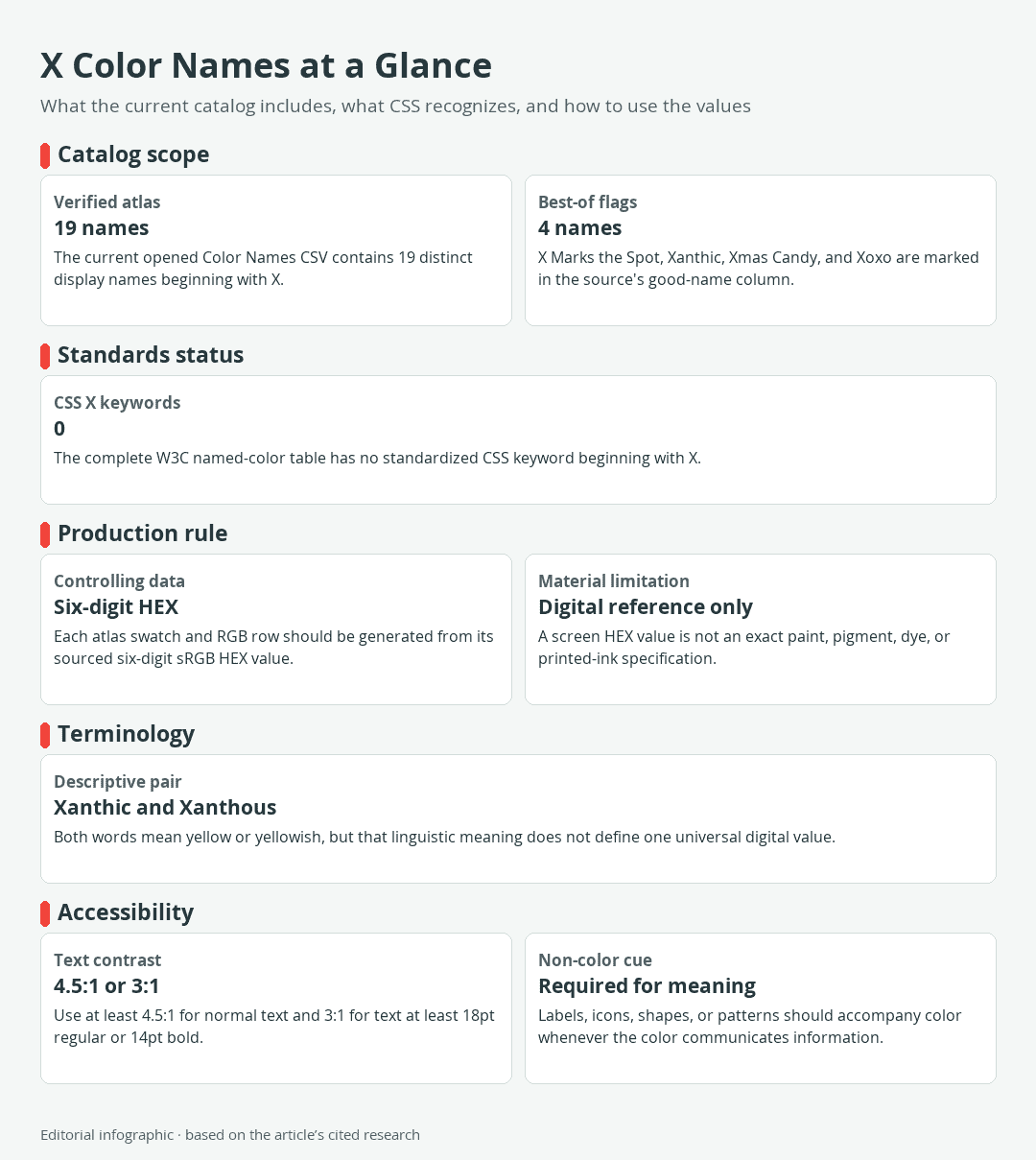
Download the complete color reference sheet (PNG): X Color Names at a Glance (PNG) · Color atlas 1
This is a complete list within the selected catalog snapshot, not a claim that only 19 X color names exist everywhere. Color names can be coined by catalog editors, paint companies, designers, and communities. Including every vendor code or unsupported variation would create a much longer but less useful list, so this atlas keeps one valid six-digit HEX value for each distinct catalog name.

None of the 19 names is a standardized CSS named-color keyword. For websites and digital design, copy the HEX value from the table instead of entering the displayed name as a color value.
Complete Alphabetical X Color Atlas
The tables follow one continuous alphabetical sequence, ignoring accents, spaces, punctuation, and capitalization when sorting. HEX is the controlling digital value. Every RGB triplet and visible swatch is derived from that same six-digit HEX code, preventing mismatches between the three representations.
Xâkestari White – Xanthous
| Name | HEX | RGB | Color |
|---|---|---|---|
| Xâkestari White | #FEF2DC | 254, 242, 220 | |
| Xanadu | #738678 | 115, 134, 120 | |
| Xanthe Yellow | #FFEE55 | 255, 238, 85 | |
| Xanthic | #F4E216 | 244, 226, 22 | |
| Xanthophobia | #4A3E00 | 74, 62, 0 | |
| Xanthous | #F1B42F | 241, 180, 47 |
Xavier Blue – Xīpe Totēc Red
| Name | HEX | RGB | Color |
|---|---|---|---|
| Xavier Blue | #6AB4E0 | 106, 180, 224 | |
| Xed | #30A9FF | 48, 169, 255 | |
| Xena | #847E54 | 132, 126, 84 | |
| Xenon Blue | #B7C0D7 | 183, 192, 215 | |
| Xereus Purple | #7D0061 | 125, 0, 97 | |
| Xiàng Yá Bái Ivory | #ECE6D1 | 236, 230, 209 | |
| Xiān Hóng Red | #E60626 | 230, 6, 38 | |
| Xiao Long Bao Dumpling | #BCB7B0 | 188, 183, 176 | |
| Xìng Huáng Yellow | #FCE166 | 252, 225, 102 | |
| Xīpe Totēc Red | #CC1166 | 204, 17, 102 |
X Marks the Spot – Xoxo
| Name | HEX | RGB | Color |
|---|---|---|---|
| X Marks the Spot | #E6474A | 230, 71, 74 | |
| Xmas Candy | #990020 | 153, 0, 32 | |
| Xoxo | #F08497 | 240, 132, 151 |
What These X Color Names Are, and Are Not
A color name can be useful without being a formal standard. These X names come from a curated digital catalog assembled from several color lists and community contributions. They work as memorable labels for particular sRGB references, but another catalog may use a different name for the same value or assign a different value to the same descriptive word.
 AI-generated editorial illustration; not a measured color sample.
The transliterated labels and their diacritics are preserved as catalog display names. Their inclusion does not establish them as universal English terms or as culturally authoritative names.
Curated Names Versus CSS Keywords
CSS provides a fixed table of named-color keywords, such as white, wheat, yellow, and yellowgreen. That standardized table contains no keyword beginning with X. A browser therefore will not interpret xanadu or xanthic as a named CSS color.
You can still use any atlas entry by supplying its HEX value directly or saving that value in a custom property:
:root {
  --xanadu: #738678;
}

.example {
  background-color: var(--xanadu);
}
The custom-property label is your own identifier. The browser ultimately receives #738678, which specifies the sRGB components for Xanadu in this atlas.
Digital Swatches Versus Paint and Print
A screen creates color with emitted red, green, and blue light. Paint and other physical materials reflect light, while printers combine inks on a substrate. Those different mechanisms mean a HEX value is not a paint recipe, pigment formula, dye standard, or guaranteed print match.
Even two screens can display the same code differently because of calibration, brightness, color profiles, and gamut, which is the range of colors a device can reproduce. For a physical project, treat the table as visual direction. Compare real material samples under the intended lighting and follow the paint or print supplier’s matching process.
Why the Same Color Name Can Have Different Codes
Xanthic demonstrates why the catalog context matters. This atlas assigns Xanthic #F4E216, but another published color table assigns it #EEED09. The difference does not make either value a universal definition.
In ordinary American English, both xanthic and xanthous mean yellow or yellowish. That broad verbal meaning describes a region of color rather than one exact sRGB triplet. Catalog editors can therefore attach the words to different yellows.
Consistency is more useful than silently blending catalogs. If you choose an X color for a project, record its name and HEX value together. That small step keeps collaborators from substituting a similarly named but visibly different reference.
How to Use These Colors in Digital Projects
Start with the role the color needs to play. Pale Xâkestari White can serve as a soft surface color, while dark Xanthophobia or Xmas Candy may suit compact accents. Bright entries such as Xed, Xanthic, and Xiān Hóng Red draw attention quickly, so test them within the actual layout instead of judging an isolated swatch.
Use the HEX Value in CSS
Copy the complete six-digit code, including the number sign. Do not remove a digit, translate the name into a guessed value, or rely on the display name as browser syntax. For repeated use, assign a meaningful custom property such as --accent-color rather than tying the code to a name that may change when the design is revised.
Keep the color space in mind when moving beyond a web mockup. The listed references describe sRGB colors. A wide-gamut display, professional print workflow, or physical finish may require color management and proofing rather than a simple copy-and-paste conversion.
Check Contrast and Add Non-Color Cues
A color’s name does not reveal whether text placed on it will be readable. Check the actual foreground and background pair with a contrast tool. WCAG Level AA calls for a contrast ratio of at least 4.5:1 for normal text and 3:1 for large text, defined here as at least 18pt regular or 14pt bold. Do not round a failing result up to the threshold.
Contrast is only part of accessible color use. When a color signals an error, selection, category, or required field, add another visible cue such as a label, icon, shape, underline, or pattern. For example, a red border can reinforce an error message, but the message itself should explain what needs correction. This preserves the meaning for readers who cannot reliably distinguish the colors.
Finally, test the finished interface rather than assuming that a dark-looking swatch accepts white text or a pale-looking swatch accepts black. The exact foreground and background colors determine the measured contrast ratio, while font size and weight determine which WCAG threshold applies.

Learn more about Israel Benloulou and about us.